Guide · Fighting
Targeting
Picking a target, and aiming at it
- \
- your target: the nearest creature or NPC
- ]
- your target: the next one out from it
- [
- your target: the one before it
- Ctrl + \
- your target: the nearest player
- Ctrl + ]
- your target: the next player out
- Ctrl + [
- your target: the player before
- '
- attack your target, going to war first if you are in peace
- ;
- aim the cursor that is up at your target
- Q
- aim the cursor that is up at your last target
- E
- aim the cursor that is up at yourself
- Backspace
- clear your target
Picking a target
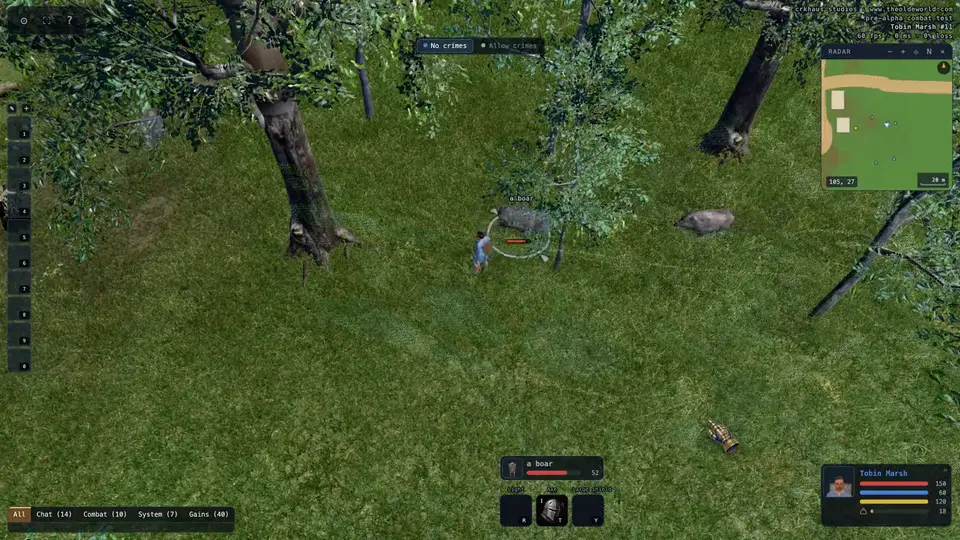
Press \ and the nearest creature or NPC becomes your target. ] steps out to the next one, farther away, and [ steps back to the one before. Keep pressing and you go through everyone around you, nearest first, each in turn. The order holds while you keep pressing, so creatures running about never send you back and forth between the same two. Stop for a few seconds and the next press starts again from your target.
Hold Ctrl (⌘ on a Mac) with the same three keys to pick among players instead. A player in the saddle counts as a player, and the ring goes round their horse.
Only what is on your screen and within about 24 metres can be picked. The creature keys never pick your own pets, or anyone who cannot be harmed, such as a banker, and no key picks you, a ghost or a body.
Seeing your target
Your target has a ring under its feet in the colour of its name, and its face, name and health show in a small frame above your technique tiles. In a crowd, point at that frame and your target lights up. A click on the frame aims a spell's cursor at your target, and in war a double-click on it attacks.
Attacking it
Press ' to attack your target. In peace, it takes you to war first. Your weapon then swings whenever your target is in reach and in sight, so walk up to it, or hold the right mouse button to run at it.
Aiming spells and bandages
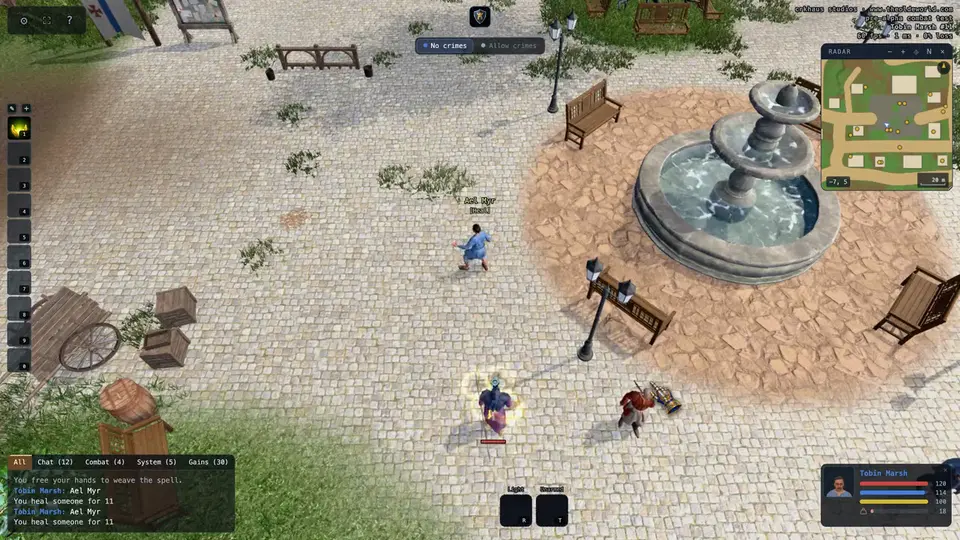
When a spell, a bandage or a skill asks for a target, three keys answer it for you. ; aims at your target. Q aims at your last target: whoever you last aimed anything at. E aims at yourself.
Your target and your last target are two different things. Your target changes only when you pick one with the keys above; your last target changes every time you aim at someone. So you can heal a friend with Q while your target stays on the wolf, and ' keeps swinging at the wolf. The small cyan crosshair over a head marks your last target.
Backspace clears your target. Every one of these keys can be changed on the Controls page of the gear menu.